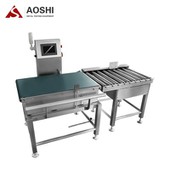

1. Ua tus qauv: Ua cov qauv raws li qhov yuav tsum tau ua ntawm tus qauv ntsuas, thiab ntsuas nws qhov loj thiab lwm yam ntaub ntawv;
2. Fais fab tuag: thawj zaug qhib lub software ntsuas thiab tswj qhov system ntawm lub computer, thiab tom qab ntawd tig lub zog ntawm lub tshuab ntsuas. Xaiv hom kev xeem uas tsim nyog raws li qhov kev xeem yuav tsum tau ua;
3. Kev sim ua haujlwm: xaiv qhov tsim nyog ceev kom ua kom lub tshuab ntsuas khiav nce thiab nqis, thiab xyuas kom meej tias txhua qhov system ua haujlwm zoo li qub;
4. Cov ntaub ntawv tshiab: Raws li tus naj npawb ntawm cov kev xeem uas yuav tsum tau ua, tsim kom muaj tus lej ntawm cov ntaub ntawv xeem, thiab sau rau hauv cov khoom sib txuas, tus lej xov tooj, ib puag ncig kev xeem, tus qauv loj thiab lwm yam ntaub ntawv cuam tshuam;
5. Kev thauj cov qauv: kho qhov chaw ntawm tus qauv ntawm lub tshuab kuaj, thiab nruab cov qauv;
6. Xaiv qhov ntau: raws li qhov kev xeem quab yuam thiab deformation ntau yam uas yuav tsum tau ua rau qhov kev xeem, xaiv qhov tsim nyog xeem quab yuam thiab deformation iav (ntau);
7. Rov pib dua: rov pib dua qhov kev sim quab yuam, deformation thiab txav mus rau xoom;
8. Kev ntsuas ceev: raws li qhov yuav tsum tau ua ntawm cov txheej txheem kuaj hauv tus qauv, teeb tsa qhov kev ntsuas kom tsim nyog; yog tias tsis muaj qhov yuav tsum tau ceev hauv tus qauv, teeb tsa qhov nrawm dua, thiab qhov ceev yuav tsum tsis txhob loj dhau, thiaj li tsis cuam tshuam rau qhov kev xeem;
9. End condition: According to the requirements of the test process in the standard, if the sample is to be destroyed (such as tension, compression), select "Break judgment"; if it is pulled (or compressed) to a certain test force, it will end , select "Target" and "Test Force"; if the tension (or compression) ends at a certain deformation, select "Target" and "Deformation";
10. Test start: Click the "Test Start" button to start the test.
11. End of the test: After the test is completed, the "test end" button is automatically pressed. If you need to end the test halfway, you can also press the "Test End" button to end the test manually;
12. Test results: Click the "Analyze" button to view the corresponding test results. Continue the test: Click the "Test" button to return to the test operation interface, click the "Next" button to switch the test record to the next one, and repeat steps 5-11 to test;
13. Save data: If the test data needs to be saved, press the "Save" button to save the test data to the database for reference. Print report: If the test results need to be printed, press the "Output Report" button to output the test results to a Word document and print;
14. Kev kaw: tua lub zog ntawm lub tshuab kuaj ua ntej, tom qab ntawd tua lub software ntsuas thiab tswj qhov system thiab lub computer.